


Set your currency locations just once, and then enjoy seamless crafting with just a single click. Our intuitive design ensures a hassle-free experience, allowing you to focus on the game, not the grind. Simplify your Path of Exile journey today – a world of crafting is just one click away!
Automated crafting tool for Path of Exile
Key Features

Save your precious time with our customizable delay feature. Tailor the process timing to suit your schedule, allowing for the utmost flexibility. Plus, there’s no need to stay glued to your computer screen. Step away and enjoy your time; we’ll send a notification straight to your phone when the process is complete. It’s productivity, optimized for your convenience.

Experience the pinnacle of efficiency with our “Smart Logic” feature. Our application intelligently pauses operations when you’re out of currency, ensuring no resources are wasted. Moreover, it’s equipped with advanced human-like action capabilities, mimicking real-life behavior in a sophisticated manner. This not only enhances realism but also ensures the judicious use of currency. With Smart Logic, you get a tool that thinks and acts smartly, aligning perfectly with your needs.
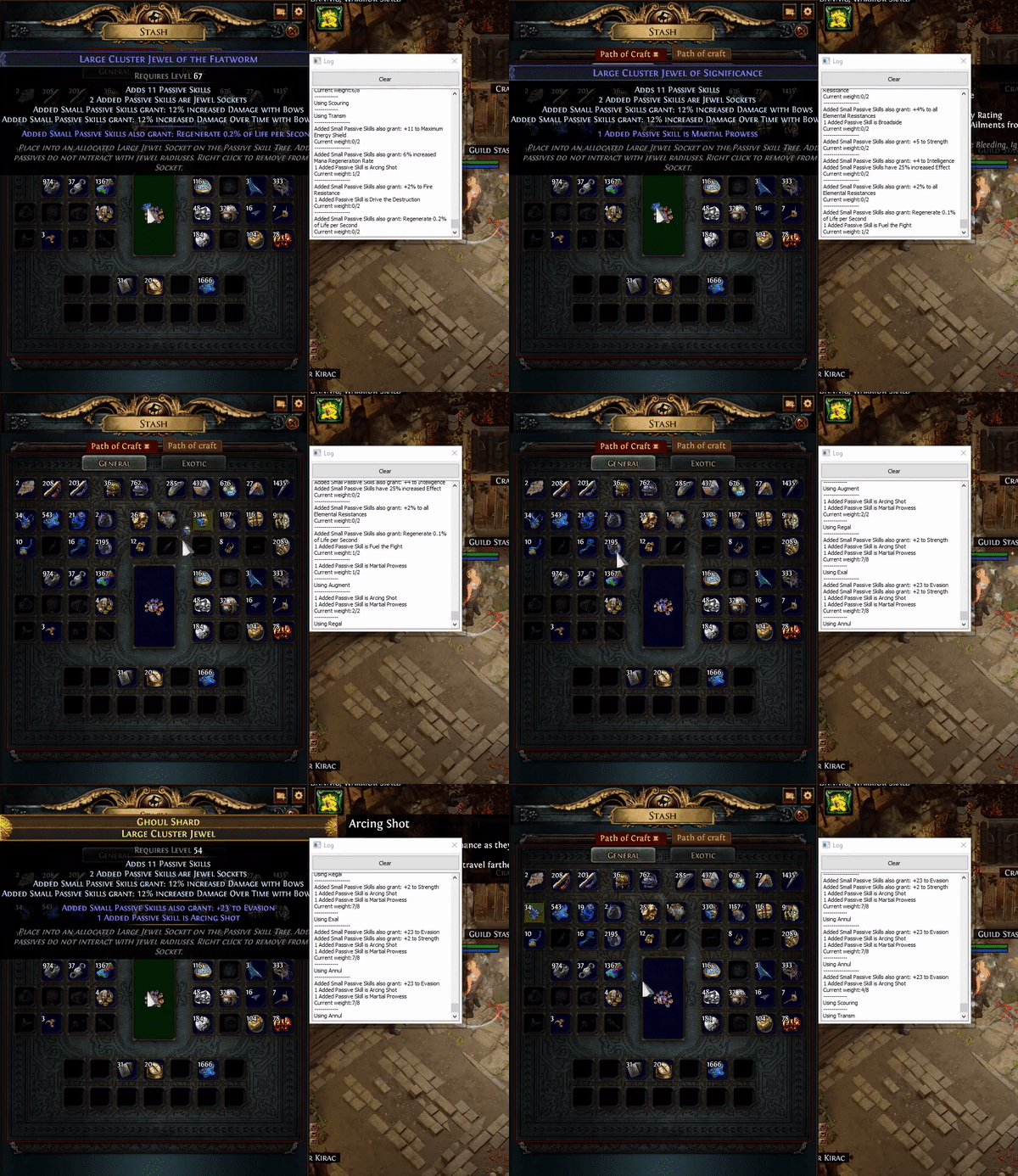
Unlock the full potential of crafting in Path of Exile with our comprehensive app! Whether you’re a beginner or a seasoned exile, our app offers every crafting method available in the game. From basic crafting techniques to advanced crafting strategies, find it all in one place. Get detailed guides, tips, and tricks to enhance your gameplay. With our intuitive interface, navigating through the vast world of PoE crafting is now simpler than ever

Save up to 60%
Basic
Free
- Auto gather Chaos recipe set
- Auto use Vaal Orb, Orb of Chance, Socket Currency, Bench Color
- Auto open Stacked Deck
- Auto trade Divination Cards with Lily
- Auto use basic crafts: Orb of Alteration, Orb of Augmentation, Chaos Orb, Alchemy Orb, Fossil, Essence, Harvest Bench, Flask Currency, Eldritch Orb
- Auto exchange:
- Harvest exchange: Oil, Fossil, Catalyst, Essence, …
- Ancient orb
- Horizon orb
Premium
$7/ month
- Everything in Basic
- Trading Features:
- Cluster price auto searching
- Auto whisper live search
- Stash tracker
- Map Crafting
- Auto Expedition (Tujen, Dannig)
- Most Complex Crafting:
- Magic craft jewel
- Craft rare items with Alteration Orb, Regal Orb, Exalted Orb, Annulment Orb
- Group craft
2 Months Premium
$10/ 2 months
- All premium features.
1 League Premium
$15/ league
- All premium features.
Lifetime Premium
$90/ lifetime
- All premium features.
- Lifetime updates.
Watch the video guide
Watch the video guide
Watch the video guide
Watch the video guide
Watch the video guide
Watch the video guide
Watch the video guide
Watch the video guide
Watch the video guide
Watch the video guide
More about weight and logic
There will be 5 elements:
- The first column is the mod you want.
- The second column is the value of that mod if applicable. Leave it blank if there is no ‘#’ in the mods.
- The third column is the weight that the mod will appear in items.
- The fourth column is the affix of the mod, prefix or suffix.
- The total weight(at the top of the table): the total amount of weight needed for the item you want to craft. If the mods in the item reach this weight amount, then the crafting is complete

- For group craft, you only need to set values for the magic items part and the groups part. Each group you desire should be separated by the symbol ‘———–‘. After completing the entry of one desired group, click the add group button to separate that group from the others.
- If you want to use Exalted and Annulment, set the value of mods in the rare item table

Try experimenting with some preset configs I have created, copy them into the same folder as the application.
Frequently asked questions
Is it illegal to use this tool?
It’s important to note that this tool violates the Terms of Service of Grinding Gear Games. Using it while streaming may result in a ban, as it can be more easily detected in such scenarios. However, the tool is designed with options to mimic human-like actions, making it harder to detect when used discreetly. Users should be aware of these risks and use the tool at their own discretion.
Does your app interact with the game's memory?
No, my app does not interact with the game’s memory. It only interacts with the mouse and keyboard, and uses clipboard content to retrieve item information.
My app isn't running, it gets stuck on a certain mods in the log?
Problem is another app with same hotkey(Ctrl Shift and C), mostly for AMD Radeon Adrenaline , disable their hotkey
How do I save my setting after each update?
There is config file and craft config folder that save your setting, just move them to new update folder
I can't find mod I want?
You can add it manually in path: data/mods, replace value with “#”
Why tool not using augmentation ?
A magic item can have a maximum of one prefix and one suffix. If you want to craft an item with two prefixes or two suffixes, you should use a rare regal or group crafting method
How do I set value for mod have no "#" ?
If mod don’t have “#” in line, tool will craft exactly what you import. Don’t set value to this.
How can I set up crafting for damage on a bow?
For example, Mods: “Adds # to # Physical Damage” you only need to set the value to the second “#” figure.
If you want to get tier 1 physical damage on a bow, you would set the value to be 72.
How does the 'Combo Check' button work?
It only works when you use the rare regal craft method and set values for mods and your desired outcomes for rare items.